Things I build outside of work. Most of it is open source and lives on GitHub.

Reevik Markdown Editor
- Rust · Tauri · React
- macOS (Apple Silicon)
- Apache 2.0
- v1.0.1 beta
Reevik is a desktop Markdown editor built around two ideas. The first is that
notes should stay yours: a vault is nothing but a folder of .md files on
disk — no database, no proprietary format, no lock-in — so the same notes open
just as well in Obsidian, in Vim, or in a Git repository.
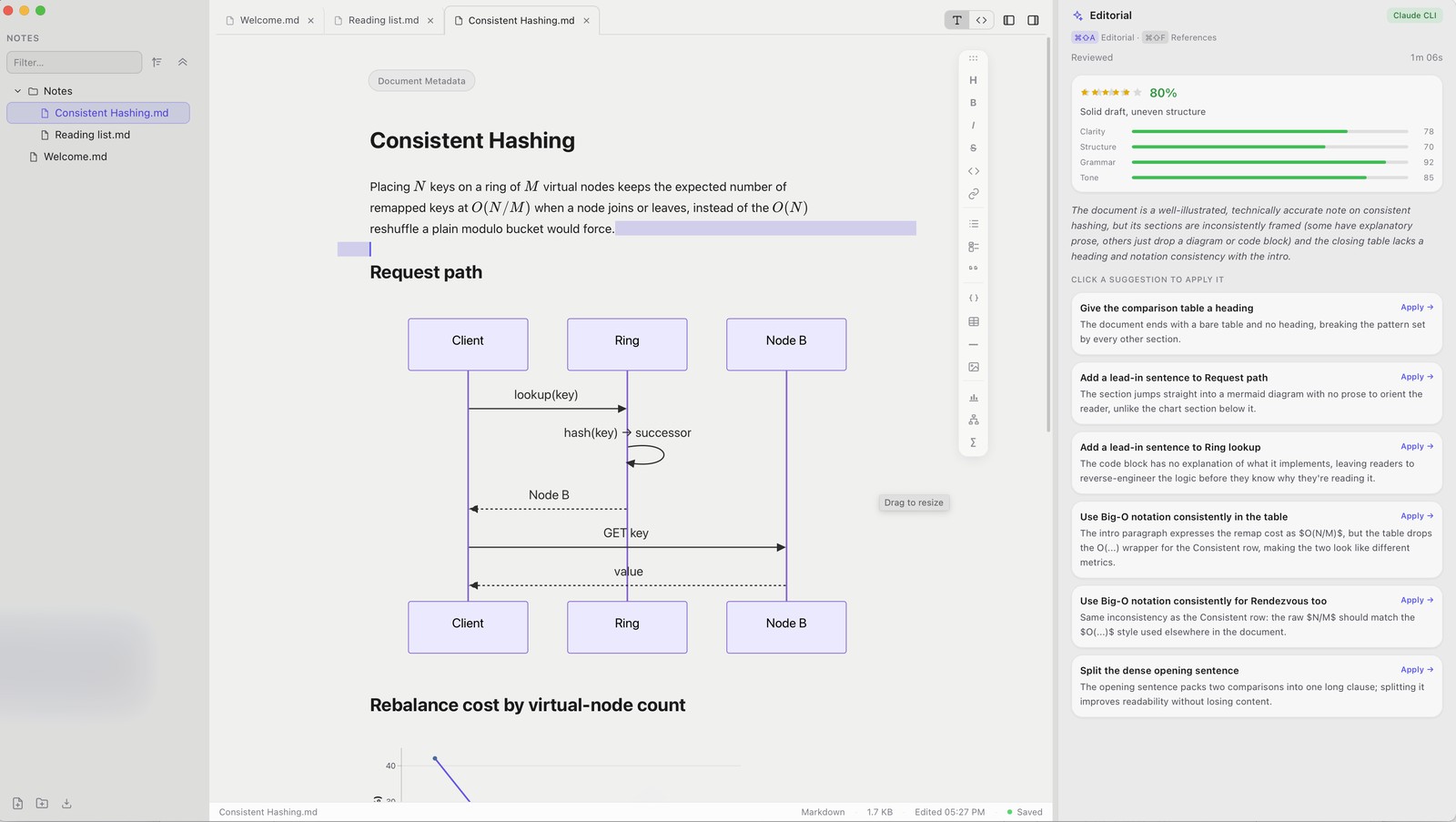
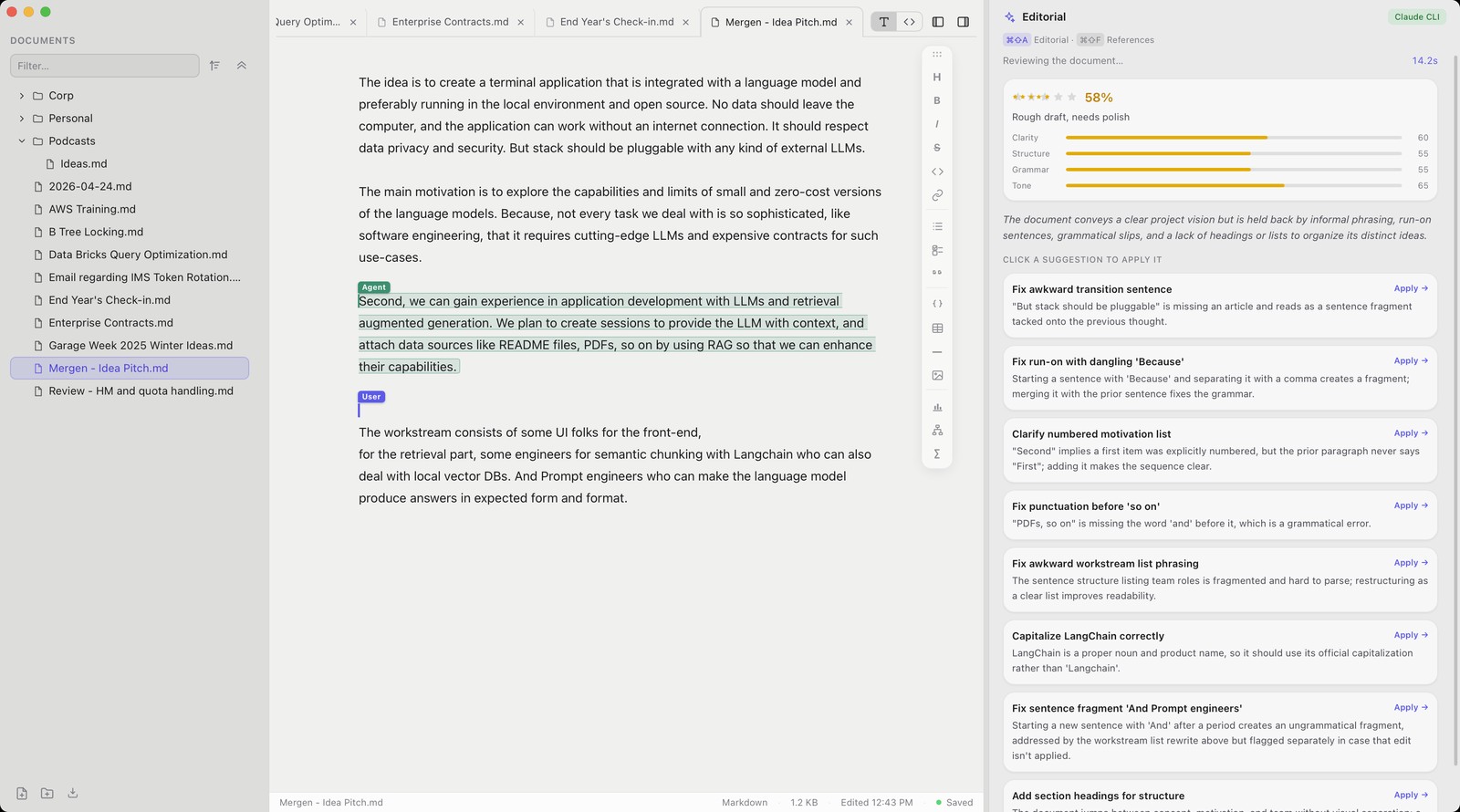
The second is that a writing tool should be able to read what you wrote. Reevik
ships with an editorial agent powered by Claude, running either through the local
claude CLI or your own Anthropic API key. Open a note and it reviews the
draft: a quality score across clarity, structure, grammar and tone, a one-line
assessment, and a list of concrete edits you apply one at a time by clicking them.
It proposes local changes only — it never rewrites the document behind your back.

What is in it
- Vaults and files — Obsidian-style vaults, a filterable file tree, drag and drop to reorganise, and tabs that follow a note when it moves.
- Live Preview — Markdown renders as you type, and the raw syntax reveals itself only on the line under the cursor.
⌘/drops to source. - Rich content — Mermaid diagrams, live Vega-Lite charts, LaTeX via KaTeX, resizable images, GFM tables and highlighted code.
- The agent — editorial review (
⌘⇧A), rephrase a selection (⌘⇧R), and find references (⌘⇧F), which genuinely searches the web and hands back citations you can insert. - Local by default — files on disk, autosave, and API keys in the macOS Keychain.
It is written in Rust and TypeScript on Tauri, which keeps the binary small and the memory footprint closer to a native app than to a bundled browser. Builds are for Apple Silicon; the source, the changelog and the releases are on GitHub.